Personal time awareness
How to Do a 3-Day Personal Time Audit
A personal time audit is a review of how you spent your time. Start small: choose three ordinary days, record a few meaningful activities, and compare the recorded categories with what you expected. A three-day sample can help you ask better questions; it cannot describe your whole week or account for time you did not record.
You do not need a perfect timeline, a subscription, or an app to try this exercise. A notebook or the worksheet below is enough. If entering activities is what usually stops you, Hourglean offers voice and text entry on iPhone.
Before you start: choose one question
Pick a question you can answer from a small sample: “How much reading did I actually record?” or “Which activities filled the evenings I tracked?” Avoid a vague goal such as optimizing every minute of your life.
- Choose three reasonably ordinary days. If one is unusual, label it rather than treating it as typical.
- Choose three to five categories that make sense to you: work, learning, exercise, rest, or family time.
- Decide what you will record. A few important activities are a useful start. Do not call them a complete account of your day.
Day 1: capture a few real activities
Record the activity and either its start and end times or its duration. Do it near the activity when possible. Keep categories broad enough that choosing one does not become another task.
“Worked on the report from 2 to 3:30.”
“Read for 30 minutes after dinner.”
When using Hourglean, check the proposed activity, date, time, and category before confirming. An interpretation is a proposal, not proof that the activity happened at that exact time. If you cannot speak where you are, type the sentence instead.
Day 2: notice and label the gaps
At the end of the day, check whether something important is missing. Your calendar, a message, or the end of another activity may provide a useful clue. They are clues, not continuous measurements. If you only remember an approximate duration, keep that uncertainty in your worksheet or a separate note. The app does not provide a dedicated uncertainty field.
Do not fill every blank just to make the totals look complete. See how to reconstruct time after forgetting the timer.
Day 3: review what you actually recorded
- Total the recorded time by category. Check for overlaps before adding durations.
- Compare the result with your original question.
- Ask what you can reasonably infer, what is missing, and what you would like to observe next.
- Choose one small adjustment or continue recording for a fuller week.
If you recorded 90 minutes of learning out of 180 recorded minutes, learning is half of recorded time. It is not half of your entire day. Missing time remains unknown, not zero.
A worksheet you can copy
| Date | Activity | Time or duration | Category | Evidence / uncertainty |
|---|---|---|---|---|
| Day 1 | Reading | About 30 minutes | Learning | Estimated from memory |
| Your date | … | … | … | … |
The worksheet is a standalone exercise. Its columns do not imply that Hourglean has matching fields or spreadsheet import.
Where an iPhone voice time tracker helps
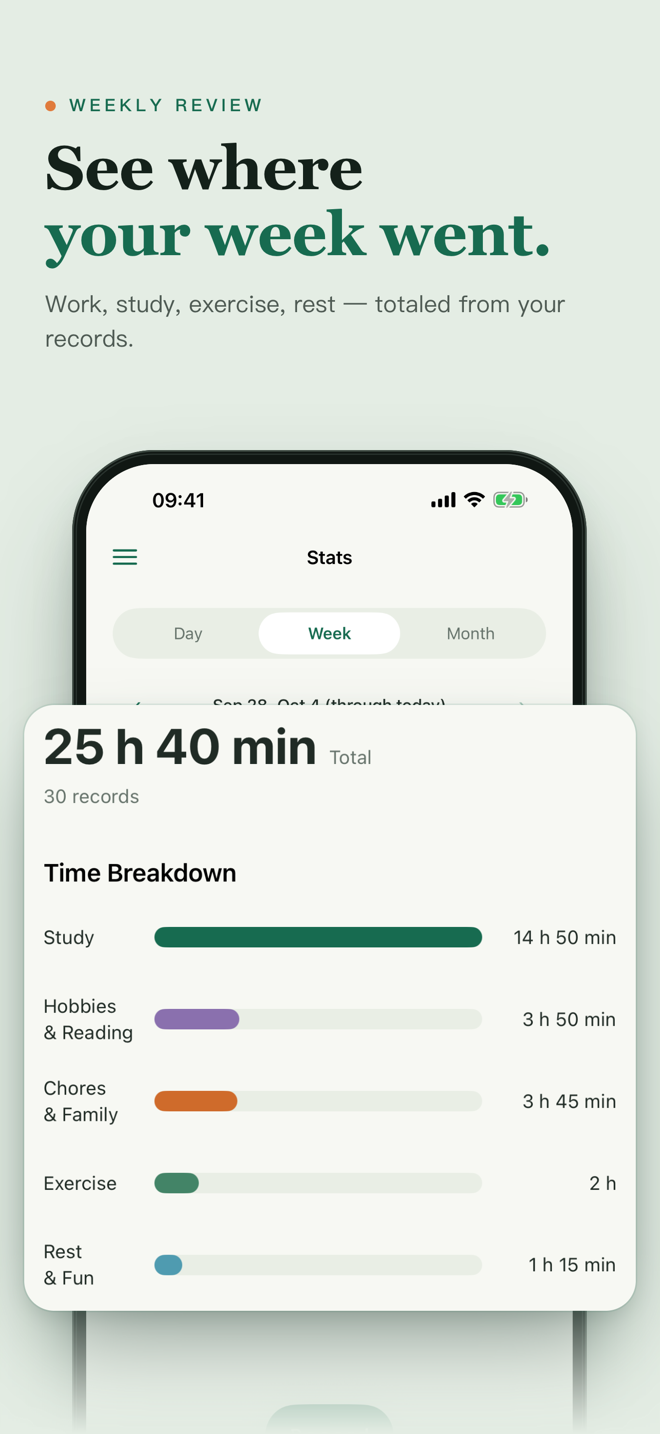
Hourglean turns spoken or typed activities into time records for you to check. It supports logging after the fact and category summaries for your day, week, and month. It does not automatically watch your apps, reconstruct your whole day, invoice clients, or sync records to Mac and the web.
What happens after the first review?
If the sample was useful, continue long enough to include days that differ from one another. A weekend, travel day, or deadline day may tell a different story. A longer record still reflects what you entered, including any gaps and estimates.
Download Hourglean when you are ready to start: full feature access runs for seven days from first download, with no payment required to begin. Afterward, Pro is required to add new records; existing records remain viewable. Review on day three so you have time to decide whether it helps. Read the pricing, privacy, and product limits.
Fill in or print the three-day worksheet
Full access for seven days from first download; Pro is then needed to add new records. Check your region's availability and price in the App Store.